
ViewX is LIVE on Kickstarter View On Kickstarter
Software Setup Guide – ReShade + SuperDepth3D

Download ReShade
Visit ReShade Official Website: https://reshade.me/#download and download the full ReShade installer.
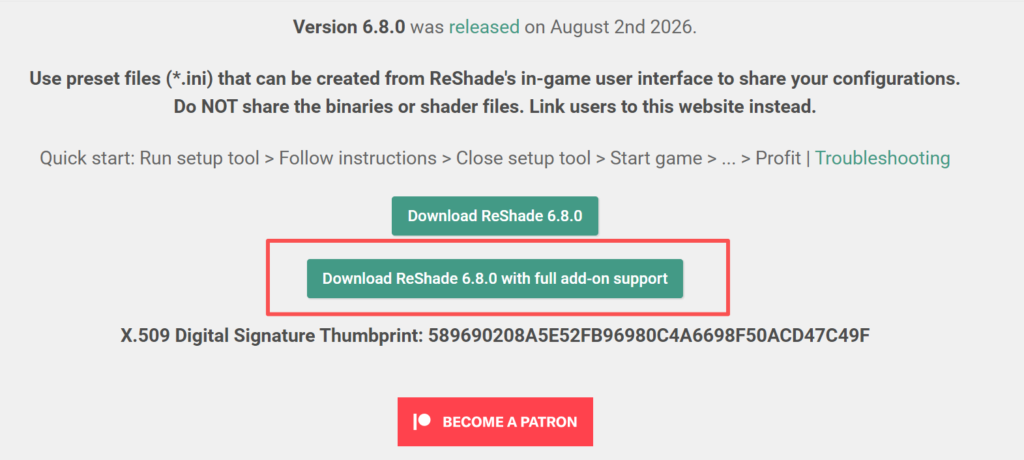
2. Launch ReShade
Open the downloaded .exe file to launch the ReShade installer.
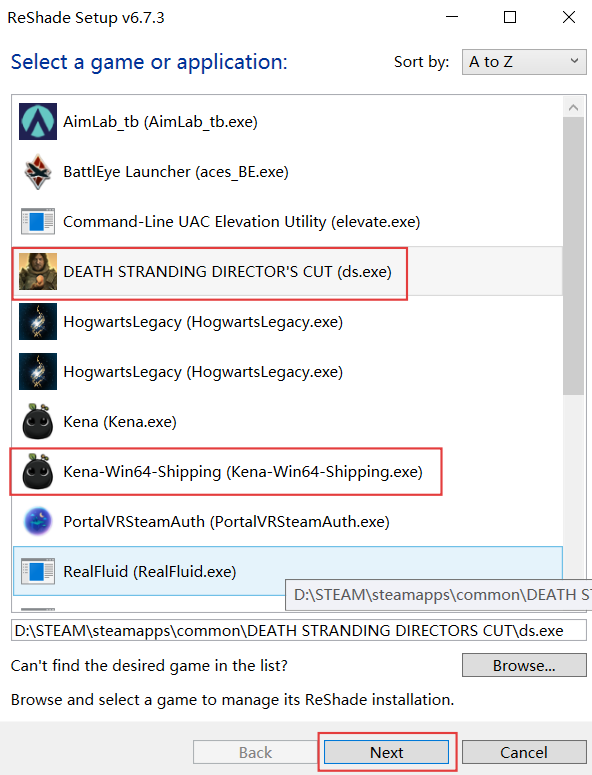
3. Select Your Game
Select the game you want to play with ViewX, then click Next.
Note: The game must already be installed on your device.
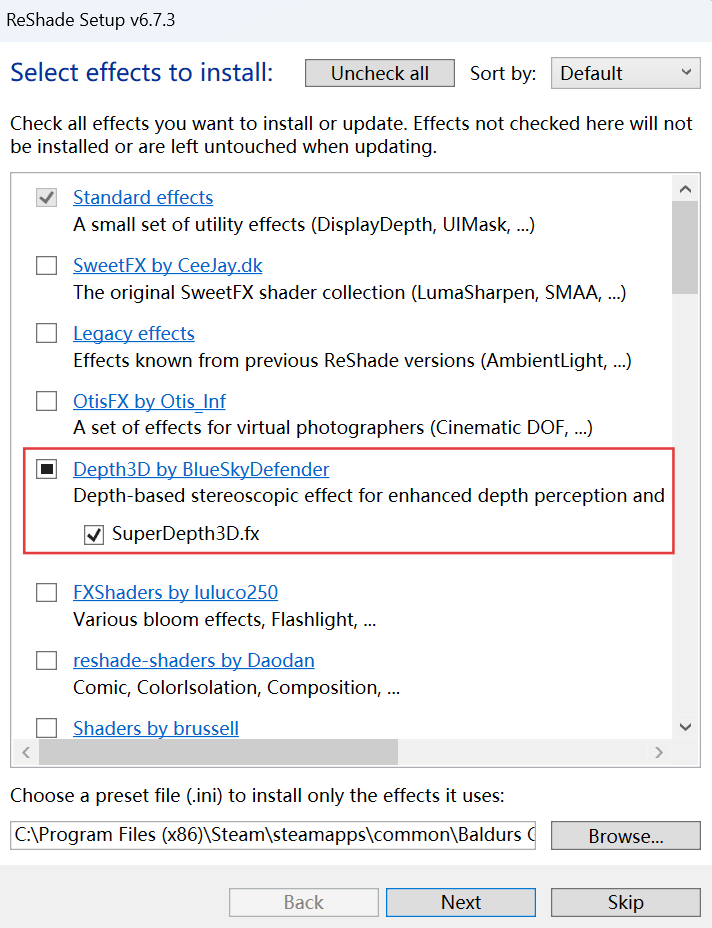
4. Install Depth3D and SuperDepth3D
Then select Depth3D and SuperDepth3D.fx from the shader/plugin list and download them.
Once the installation is complete, launch your game and open ReShade to configure the settings and start experiencing 3D gaming on ViewX.
For detailed specifications and recommended configurations, please refer to our [SuperDepth3D Parameter Settings].