
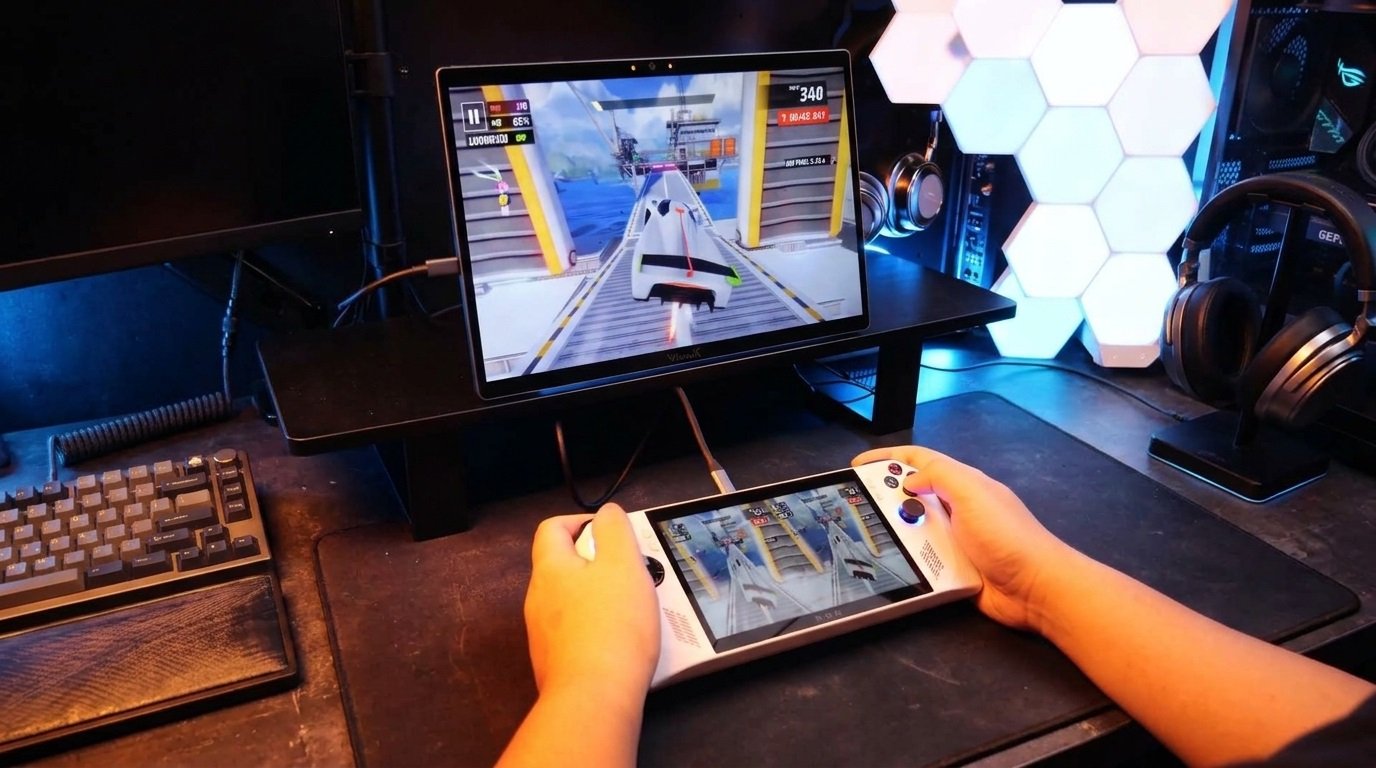

Engineering notes from the ViewX team. Last time we talked about streaming boxes. This time: consoles and handhelds.
We get asked a different question this time:
“Does this work with my Switch? My Steam Deck? My ROG Ally? My PS5? You can’t exactly install a driver on a PlayStation.”
Short answer: yes. Plug in over HDMI or USB-C (DP-Alt), long-press the side button for four seconds, and you’re playing in 3D. Nothing to install, no driver, no developer mode.
Here’s why that matters, and what to expect.
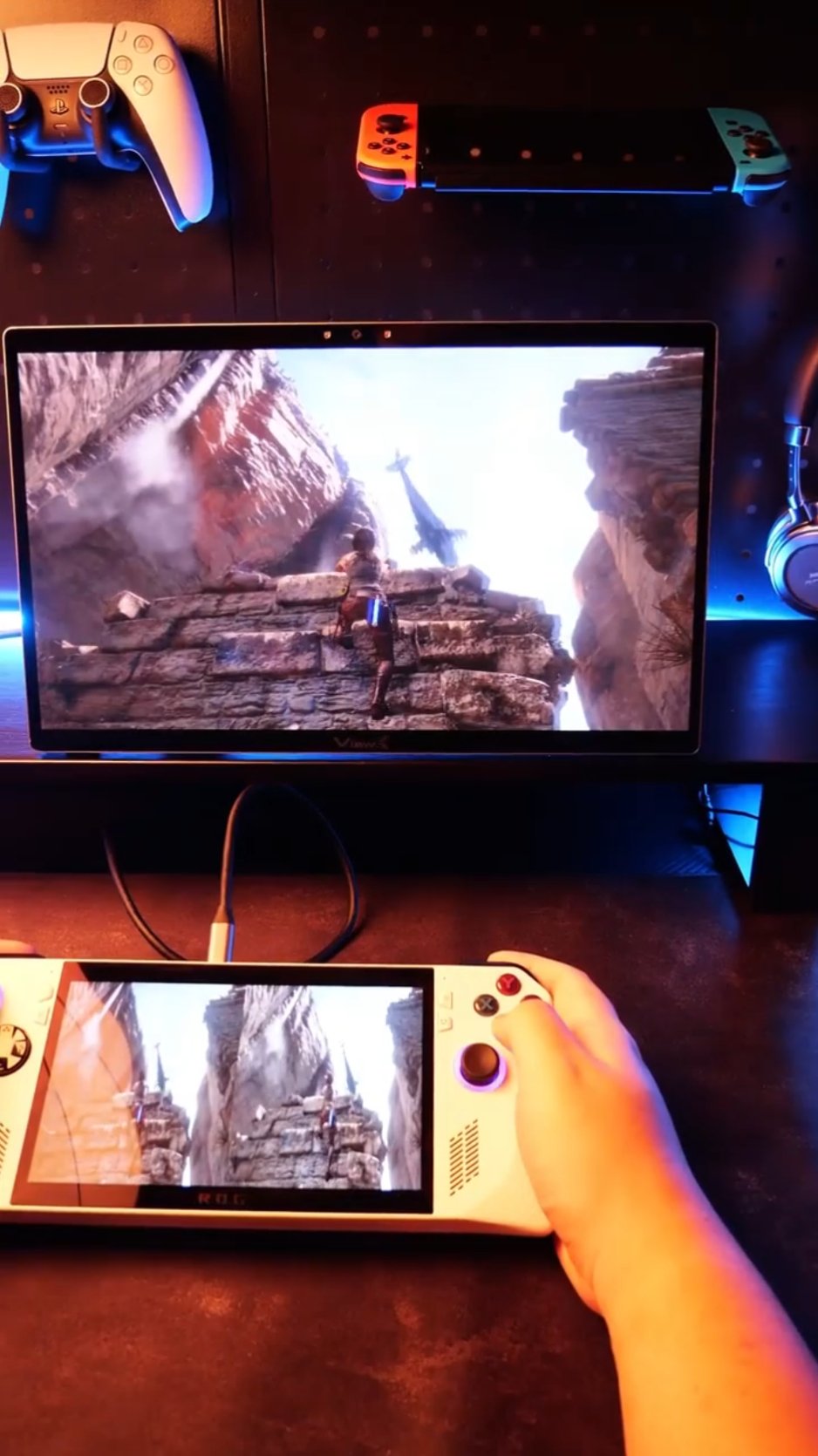
1. Games are harder than movies
Last article covered 2D movies. Consoles and handhelds are where you play story-driven single-player titles, and those are a different workload:
- Motion is fast. A cinematic single-player game shifts between exploration, combat and cutscenes. Real-time depth estimation has to keep up across all of them without introducing lag.
- The camera moves with you. Between orbit shots, set pieces and cinematic angles, depth cues shift with every cut.
- UI and HUD are flat. Health bars, minimaps, subtitles live on screen at a fixed depth, and the depth model has to deal with them like any other content.
That’s why we ship three long-press presets, not one. The 4-second hold is the game preset: the depth and pop-out parameters are tuned for fast-moving content. The 2-second hold (video) and 6-second hold (still images) are different tunings. You don’t tweak anything in a menu — hold the button the right length.
2. Why other glasses-free 3D displays stop at the PC
Pull up any desktop-class glasses-free 3D display’s setup guide. It tells you to install a client on your PC, because the 2D-to-3D conversion runs on your GPU. That works fine if you’re sitting at a desktop. It breaks for consoles and handhelds:
- Consoles are locked down. No way to install a depth-estimation app. PS5, Xbox, Switch don’t let you sideload arbitrary GPU software.
- Handhelds are portable. ROG Ally, Steam Deck, Switch — you want to play on the device’s own screen, not tethered to a PC.
- The video output is just a video signal. The console has no idea a 3D display is on the other end. It outputs a normal 2D frame.
If the conversion engine lives on the GPU, a closed console can’t feed it. That’s the architectural problem.
3. What we did
The conversion engine lives inside ViewX Liber’s 8-core Spatial AI SoC. The console just sends a normal 2D signal — through the mini-HDMI 2.0 port or the USB-C (DP-Alt) port. Use whatever cable or adapter gets the signal from your source to the panel. The display does the rest:
- NPU estimates depth on every incoming frame, in real time.
- 180 fps IR eye tracking keeps the viewing zone locked to your head, even as you shift position.
- Optical interleaving engine maps the stereo pair onto the LC directional layer.
The console does what consoles already do: render the game and output video. It doesn’t know a display is converting anything.
One thing to be clear about: this SoC is not a general-purpose CPU. It doesn’t run games, it doesn’t run apps. It only handles depth estimation, eye tracking, and optical interleaving.
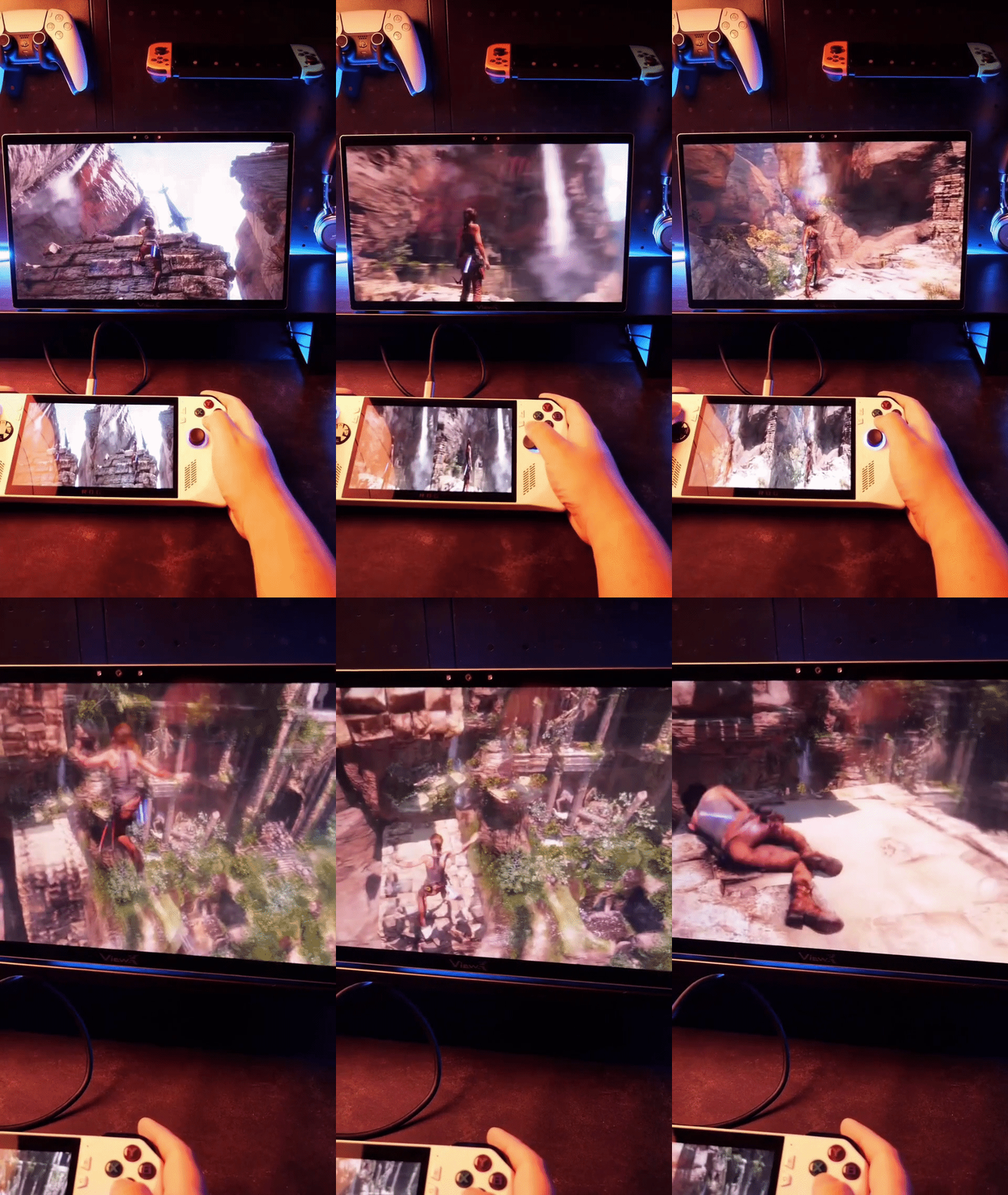
4. What works, in practice
We’ve tested ViewX Liber with the following:
| Source | How it connects | What to expect |
|---|---|---|
| Switch (original / OLED, docked) | mini-HDMI 2.0 | 1080p output. Long-press 4 s for game preset. Works with first-party and indie titles. |
| PS5 / Xbox Series X|S | mini-HDMI 2.0 | Up to 4K@60 Hz. HDCP-protected games pass through normally. HDR tone mapping on the display side. |
| ROG Ally / Legion Go | USB-C (DP-Alt) | The portable monitor sits next to the handheld as a second screen, or replaces it. No dock needed. |
| Steam Deck | USB-C (DP-Alt) | Works directly over USB-C. Set the display output to 1080p or 4K and long-press 4 s. No dock needed. |
| SBS 3D sources (game footage, camera clips) | HDMI or USB-C (DP-Alt) | Short-press to skip depth estimation and interleave natively. |
Notes:
- Two inputs, same priority. mini-HDMI 2.0 and USB-C (DP-Alt) are both first-class. Any source that outputs standard HDMI or DisplayPort works; use whatever cable or adapter fits the source port.
- Resolution follows the source. If your console outputs 1080p, you get 1080p 3D. If it outputs 4K, you get 4K 3D. The display doesn’t upscale.
- HDCP content plays normally. We don’t strip HDCP. We’re a display, not a capture card.
- No file decoding on the panel. If you want to play a local SBS file off a USB drive, plug the drive into your console or a separate player.
5. What the game preset actually changes
The 4-second hold isn’t a separate mode — it’s a different tuning of the same conversion. Two parameters move:
- Depth strength (separation). How much separation the depth model opens between foreground and background.
- Pop-out. How far the image is pushed out of the screen plane toward you.
Across the three presets (2 s for video, 4 s for games, 6 s for stills), those two values land at different points. The game preset leans into stronger separation and pop-out for interactive content; the video preset is tuned for long-form viewing; the still preset is tuned for images you look at for a while. Whichever one looks right to you is the right one — hold the corresponding length and that’s the whole interaction.
Because the SoC works on the whole frame in a single pass, HUD elements share the same depth field as the scene behind them rather than sitting on their own layer. In most games this means the HUD sits anchored to the picture rather than floating in front of you — and it’s why there’s nothing to configure per title: no profiles, no per-game patching.
Press the button again to go back to 2D.
6. Caveats, up front
Same honesty as last time:
- Single viewer. Eye tracking locks one face. Not a couch co-op TV.
- Best viewing distance is 30–70 cm. This is a 15.6-inch portable display. It’s for personal use, not a living room.
- Fast-motion 3D is good, not cinematic. AI-estimated depth on a single-player title looks impressive; it’s not the same as a natively 3D-rendered game.
- Some games convert better than others. Colorful, high-contrast games with clear foreground/background separation work well. Flat, low-contrast indie art styles give weaker depth.
- Take breaks. Same as any 3D display. Pick the preset that feels comfortable for your eyes; if one is too much, another preset or 2D mode is one press away.
- Some newer consoles with stricter encrypted output need an adapter. We’ve tested Switch (original/OLED), PS5, and Xbox Series X|S directly over HDMI. Newer devices with tighter HDCP or proprietary output encryption — for example Switch 2 — may not display a signal when plugged straight in. Add an HDCP-decrypting HDMI adapter or dock between the console and ViewX, and the signal passes through normally. We’re also updating firmware to improve direct compatibility.
- PC mode still exists for enthusiasts who want host-rendered depth via our Tencent-built Windows client. Consoles don’t need it.
7. Why this matters
Glasses-free 3D for games has always been a PC-only promise. You needed a gaming rig, a specific display, and software running in the background. The console you already own couldn’t join in, because the conversion happened on hardware the console doesn’t have.
Moving the AI SoC inside the display changes that. Your Switch, PS5, or handheld already outputs a video signal — HDMI from a dock, DisplayPort from a handheld. The display does the 3D work itself. Nothing to install, nothing to configure, nothing running in the background.
A 15.6-inch portable screen on a desk next to your Steam Deck or ROG Ally, or on a table next to your Switch dock, is a personal 3D gaming setup. It’s not a shared TV. It’s not a $3000 monitor. It’s the screen you already wanted to game on, with depth you can turn on with one button.
The ViewX team
Got a console or handheld we haven’t tested? Drop a comment — we read every compatibility report.