
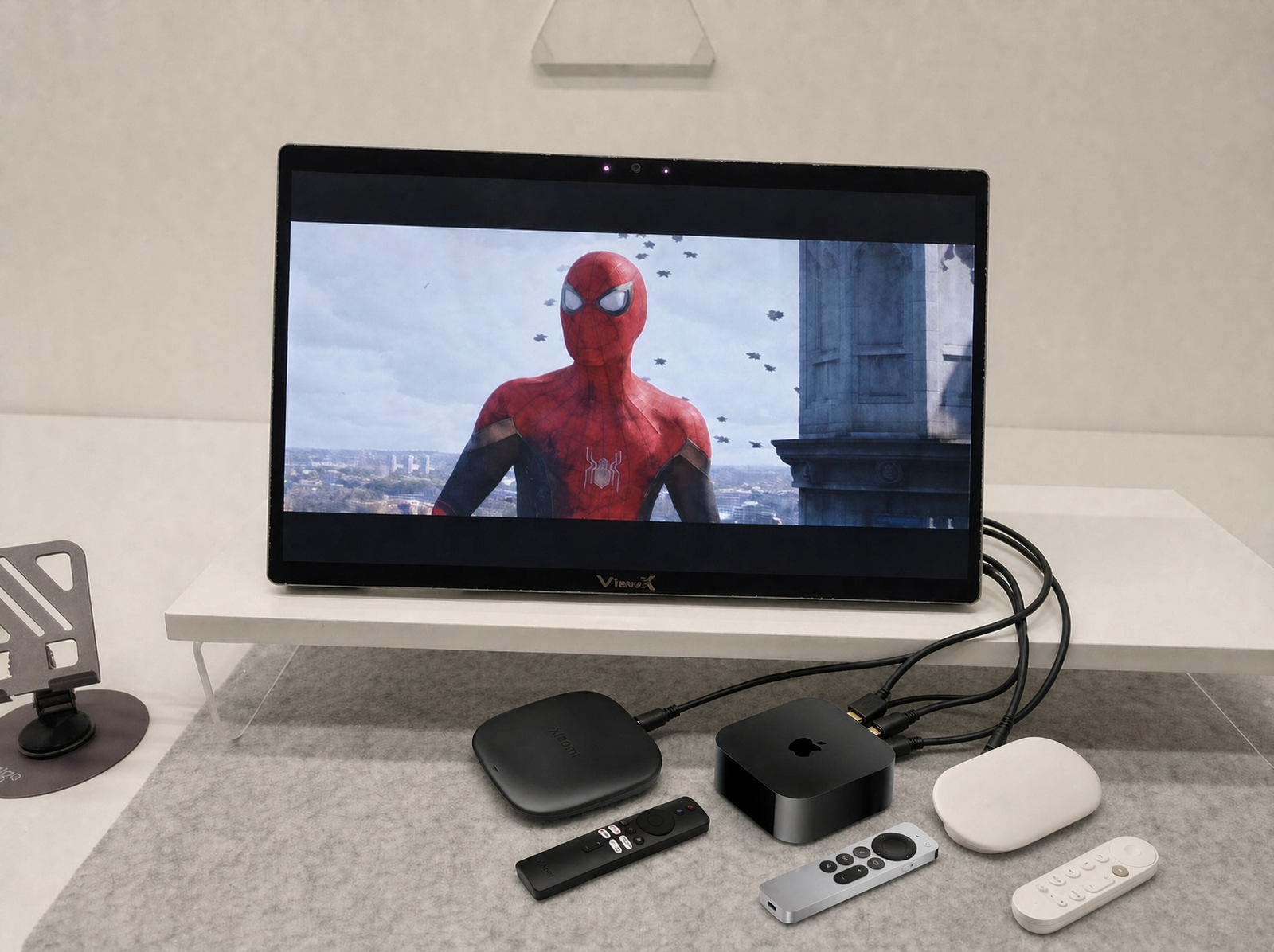

Engineering notes from the ViewX team. No marketing deck, just what the hardware does and doesn’t.
We often get asked two questions:
- “Can I plug my streaming box in and just watch Netflix in 3D?”
- “Can I plug a USB drive straight into the display and play files off it?”
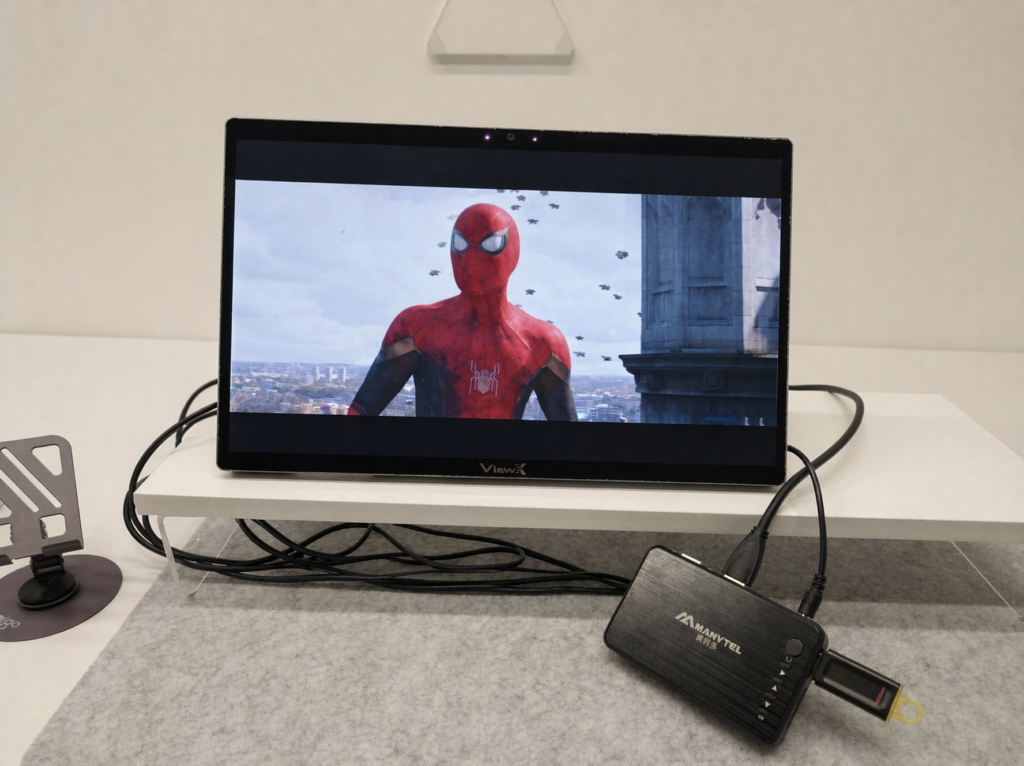
Short answer to the first: yes. Short answer to the second: no — and that’s by design. ViewX is a display, not a media player. It has no file system, no codecs, no USB host port for storage. But pair it with any cheap streaming box or dedicated video player that can read a USB drive, and that box does the file decoding, outputs a standard HDMI signal, and ViewX takes it from there.
Which leads to the longer answer, because the reason this works is also the reason other glasses-free 3D displays can’t match it.
1. The content problem
Glasses-free 3D hardware is mostly solved — optical layers, eye tracking, sub-pixel interleaving. The unsolved problem is content: everything you actually watch at night is flat 2D. 3D Blu-rays are largely a dead format. The last major streamer to ship 3D was 2012.
The industry’s answer is real-time 2D-to-3D conversion. Good idea. The problem is where that AI runs.
2. Why every current solution stops at the PC
Pull up any desktop-class glasses-free 3D display’s spec sheet. You’ll see:
“Real-time 2D-to-3D conversion requires a recent NVIDIA RTX GPU — RTX 30-series as entry baseline, newer-generation products asking for RTX 50-class cards (5070 and up) — or Apple Silicon M1 Pro (and above).”
That line tells you everything. The AI isn’t on the display — it’s on your PC’s GPU in a software client. The monitor is a dumb panel with a lens layer; HDMI just carries the finished interleaved image. Consequences:
- You need a gaming PC. Few office laptops, tablets, or consoles have the GPU headroom or OS to run the conversion client.
- You can’t use a streaming box or USB player. These are sealed appliances. There’s nowhere to install the conversion app, and no GPU to run it.
- The host does the work. Running the conversion client on a mid-range gaming card drives noticeable GPU load during playback. The display contributes almost no compute.
These are, architecturally, 3D monitors for PCs — not living-room displays.
3. What we did differently
If the conversion engine needs a GPU, and what you actually watch movies on is a sealed streaming box or a USB drive plugged into a cheap player, the GPU has to live inside the display.
ViewX Liber is built around a proprietary 8-core Spatial AI SoC on its own mainboard. It does three jobs in hardware, on-device, without requiring host-side software:
| Block | What it does |
|---|---|
| Embedded NPU | Real-time depth estimation on every incoming frame — 2D to left- and right-eye images without touching host CPU/GPU. |
| 180 fps IR eye-tracking | Tracks head/eye position and re-steers the viewing zone. |
| Optical interleaving engine | Re-maps the stereo pair (or native SBS input) onto the sub-pixel mask driving the LC directional optical layer. |
The host — streaming box, media player — only has to output a normal 2D signal: HDMI or DP.
One clarification: this SoC is not a general-purpose CPU. It doesn’t run apps, read files, or decode media. It’s a dedicated 3D signal processor, hard-wired for depth estimation, eye tracking, and optical interleaving. That’s the whole job.
4. How you use it
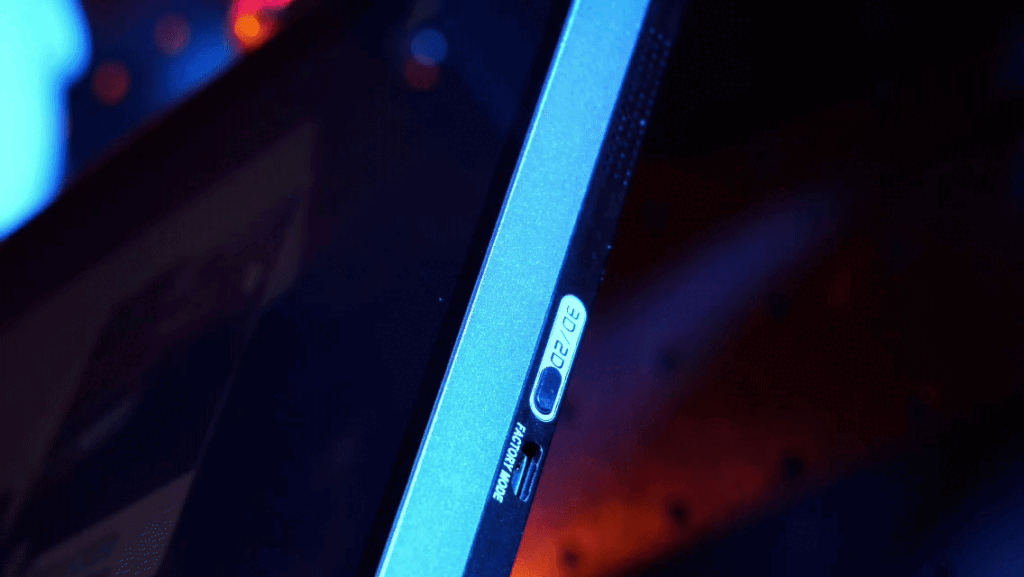
One physical key on the side. Short-press for native 3D, long-press for AI conversion — hold length picks the preset:
- Short-press → native SBS interleave (side-by-side 3D sources, no depth estimation needed).
- Long-press 2 s → video preset (movies, shows, streaming).
- Long-press 4 s → game preset (console/PC gaming).
- Long-press 6 s → still image preset (photos, posters).
For a streaming box or media player, the 2-second hold is what you’ll use.
Normal 2D streams: plug the source device into ViewX’s HDMI 2.0 (negotiates 4K@60 Hz or 1080p@60 Hz; HDCP-protected content passes through normally), hit play, long-press 2 seconds. The NPU takes over. Depth parameters are fixed per preset — press the key again to go back to 2D.
Native 3D content: feed an SBS Blu-ray rip, 3D camera clip, or multiview file over HDMI and short-press once. The SoC skips depth estimation and runs native interleaving directly.
USB drives: plug the drive into your streaming box or video player (not into the display), play the file there, and ViewX displays it. We deliberately don’t do file decoding on the panel.
No app, no GPU requirement, no pre-render queue, no export step. Pause, scrub, switch presets — all live.
5. What works as a source
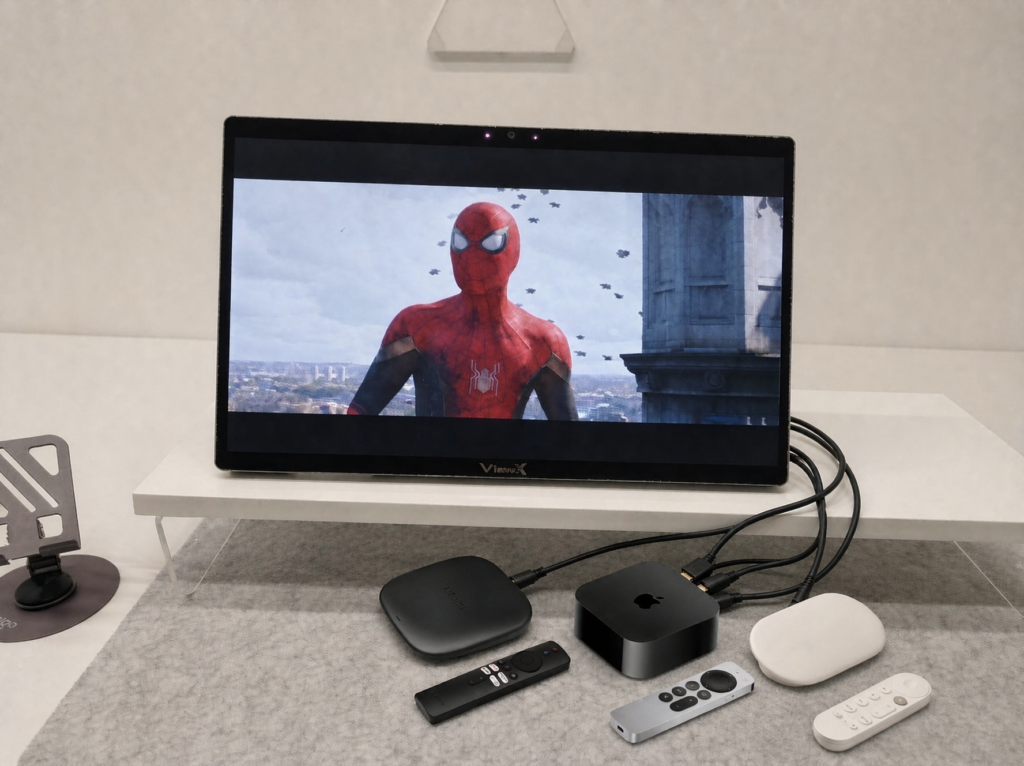
Compatibility is boring on purpose: “standard HDMI 2.0 out, up to 4K@60 Hz.” That means virtually any streaming box, TV box, or video player that can output a standard 1080p or 4K 60 Hz HDMI signal works — no special whitelist, no certified device list. If it can drive a normal 4K monitor, it can drive ViewX.
USB-C (DP-Alt) is a first-class input, not a secondary afterthought — any DP signal source works through it, whether that’s a laptop, tablet, phone, or a desktop GPU with a USB-C port.
6. Numbers that matter
- 4K@60 Hz HDMI input — no forced 1080p.
- 180 fps eye tracking — viewing zone follows your head above display refresh, minimal jitter.
- Very low latency on the tracking/render loop — both run on the same SoC, no USB-to-host roundtrip.
- Minimal host GPU usage — conversion runs on the display’s NPU, not the host. On a streaming box, host load is essentially zero.
- Local processing only — no screen content, facial data, or biometrics leave the display.
- Native 4K lossless 2D — worth its own section.
7. The 2D mode you actually live in
Here’s the detail nobody asks before buying: what does the display look like when you’re not watching 3D?
You’ll spend ~90% of your time on a glasses-free 3D display looking at 2D content — web pages, docs, code, email. Most panels bond the lenticular lens or parallax barrier permanently in front of the LCD pixels, so even in 2D mode it keeps splitting light: you get visible vertical banding and an effective PPI drop.
ViewX’s LC directional optical layer reconfigures in 2D mode so the optical effect effectively turns off. Light passes straight through. Result: native 4K, pixel-for-pixel, in 2D. This isn’t a 3D device you tolerate all day — it’s a good 4K monitor, with 3D available when you want it.
8. Caveats, up front
- Single viewer. Eye tracking locks one face at a time. Not a shared TV.
- Text/UI depth is approximate. Cinematic content looks great; menus, subtitles, and UI chrome won’t be pixel-perfect.
- Take breaks at high depth. Same as any 3D display. Moderate default for a reason.
- HDCP content plays normally — we don’t touch it. We’re a display, not a ripping tool.
- No file decoding on the panel. USB drives, NAS, local files — read them on your own box or player. We just display whatever HDMI or DP gives us.
- Two paths, not two tiers. On-device AI mode (long-press 2/4/6 s) is for streaming boxes, media players, and any HDMI/DP source without a PC — minimal host GPU load. For PC users, our Windows client (built with Tencent) takes a different route: it uses part of the GPU to convert frames to SBS, then the display’s on-board SoC handles optical interleaving. Same display, same optical layer, two pipelines matched to two sources. Neither is a compromise — they’re built for different things.
- YMMV on SBS sources. Not every SBS file is muxed the same way.
9. Where this actually gets used
Because ViewX turns any 2D content into 3D in real time— it just needs an HDMI or DP signal — it slots into places a PC-tethered 3D display rarely can:
- Industrial and trade-show demos. A laptop or mini box on a booth runs a product reel, ViewX displays it in 3D without a gaming GPU.
- Museums, galleries, and art installations. Curators feed 3D or 2D exhibit video from a media player, no operator rig required.
- Home cinema and personal movie watching. A streaming box or dedicated player feeds the display, no PC on the shelf.
- Daily desktop and browsing. In 2D mode it’s a clean 4K monitor, with 3D available when you want it.
We’re not going to pretend we’ve thought of every use case. If it outputs HDMI or DP, it’s a potential source — and we keep finding new ones.
10. Bottom line
Glasses-free 3D has felt like a perpetual “next year” product because every generation asks you to build a gaming PC to watch a movie you could otherwise watch on a cheap dongle. Moving the AI SoC inside the display flips that. The source device is already on your shelf, the content already exists, and the screen does the hard part itself.
3D shouldn’t require a gaming rig. It should require a cable, a key, and whatever you were already watching.
— The ViewX team