
FAQ
Product Introduction
ViewX is more than just a monitor—it is a gateway to the future of digital experiences. ViewX is dedicated to redefining how people interact with digital content. We believe future display devices should go beyond traditional 2D screens and deliver more realistic, immersive, and spatial visual experiences.
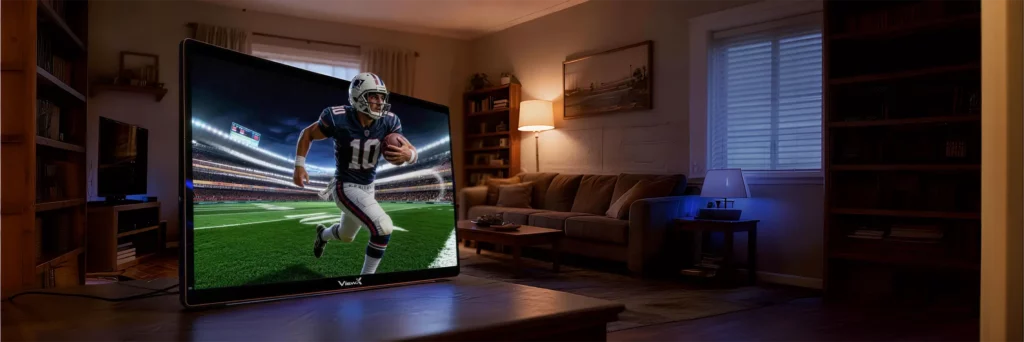
Powered by our proprietary glasses-free 3D display technology, ViewX allows users to enjoy stunning stereoscopic visuals without wearing 3D glasses. Whether for gaming, entertainment, content creation, or productivity, ViewX helps users break through the limitations of conventional displays and enter a more immersive three-dimensional world.
ViewX Liber combines AI depth processing, eye tracking, and advanced liquid crystal lens technology to create realistic depth without requiring 3D glasses. The monitor continuously tracks the viewer's eyes and adjusts the 3D image in real time, delivering a comfortable and immersive viewing experience from a natural sitting position.
No GPU resources are required when entering Real-Time 3D Mode by pressing and holding the 3D Conversion button. However, when using supported software to enable native 3D mode, a portion of GPU resources is required for stereoscopic rendering.
No. ViewX Liber is designed to deliver a true glasses-free 3D experience. You can enjoy immersive depth effects without wearing active or passive 3D glasses, making it more comfortable for gaming, movies, and everyday use.
Yes. The monitor features built-in speakers and also includes a 3.5 mm audio output jack for headphones or external speakers.
Touchscreen functionality is not currently supported.
The 27-inch and 32-inch versions are currently under development:
• 27-inch 60Hz model: expected between Q3 2026 and Q1 2027.
• 27-inch 120Hz model: expected between Q2 and Q3 2027.
• 32-inch model: expected in Q4 2027.
Specifications
15.6 inches. 27" and 32" will be released soon.
In 2D mode, the display resolution is 3840 × 2160 (4K UHD). In 3D mode, each eye receives a resolution of 1920 × 2160, creating a high-quality stereoscopic viewing experience.
Both 2D and 3D modes operate at 60Hz.
When entering Real-Time 3D Conversion Mode by pressing and holding the 3D Conversion button, the monitor's onboard NPU performs AI depth processing, resulting in approximately 100–150ms of latency. This mode is ideal for video playback and casual controller-based gaming.
Frame rate depends on both the original content and the performance of your connected device.
For videos, ViewX Liber cannot generate frames beyond the source. For example, a 30 FPS video will remain 30 FPS after 3D conversion.
For games, when both your PC and the game support higher frame rates, the current 15.6-inch ViewX Liber can deliver up to 60 FPS in 3D, matching its 60Hz display.
We're continuously improving our software with broader game support, better compatibility, and ongoing performance optimizations. Our upcoming 27-inch 120Hz model will support even higher frame rates for a smoother 3D gaming experience.
No additional latency is introduced when watching videos.
For supported games, pressing the 3D Conversion button briefly enables native 3D mode with virtually no additional latency.
For unsupported games, pressing and holding the 3D Conversion button activates Real-Time 2D-to-3D Conversion Mode, which introduces approximately 100–150ms of latency due to AI processing.
HDMI cables up to 16.4ft (5 meters) in length will not introduce noticeable latency. For longer distances, we recommend using a fiber-optic HDMI cable to ensure optimal signal quality and performance.
3D Experience
Please refer to this setup and usage video. The basic steps are as follows:
1. Connect the power adapter and connect your device to the ViewX Liber using either an HDMI cable or a USB-C cable.
2. Visit the Support page to download the required software and user guides.
3. After installation, launch the 3DSpatialGateway software to complete device authentication.
4. Start exploring immersive glasses-free 3D content.
For native 3D experiences through supported software, we recommend an Intel Core Ultra series processor or an NVIDIA GeForce RTX 20 Series graphics card (or newer).
Yes. ViewX Liber features HDMI and USB-C connectivity. Any device with an HDMI output or a USB-C port that supports DisplayPort video output (DP Alt Mode) can be connected and used with the display.
You can move naturally while using 3D mode as long as your eyes remain within the tracking range of the built-in eye-tracking system. For the best experience, we recommend staying within approximately 20 degrees to the left or right of the center viewing position.
The optimal viewing distance is between 40 cm and 70 cm (16–28 inches) from the screen.
Yes. Both YouTube videos and locally stored video content can be enjoyed in 3D mode. ViewX AI software can convert compatible 2D videos into immersive 3D in real time. AI analyzes the scene and generates realistic depth, allowing you to enjoy existing video content without requiring specially produced 3D videos.
Yes. Animated content often benefits from AI-generated depth because characters and backgrounds can be separated effectively. Wide-screen animations typically produce stronger depth perception and a more immersive viewing experience.
No. To achieve the full 3D effect, both games and videos must be displayed in full-screen mode.
When using supported software, depth and pop-out effects can be adjusted using keyboard shortcuts. Please refer to the Software User Guide for detailed instructions.
Yes. ViewX Liber automatically detects and corrects ghosting artifacts to help maintain a clear and comfortable 3D viewing experience.
Gaming & Console Compatibility
ViewX Liber supports Windows PCs, macOS computers, Steam Deck, ASUS ROG Ally, Lenovo Legion Go, Nintendo Switch, PlayStation 5, Xbox Series X|S, and most HDMI-compatible devices. Windows provides access to the complete ViewX AI software experience.
Please visit our Supported Games List for the latest compatibility information. Currently, ViewX Liber supports 34 Steam games and 9 WeGame titles, with more games being added through future updates.
At present, ViewX Liber supports Steam and WeGame. Support for additional gaming platforms is actively being developed and will be added in future software updates.
Yes. We regularly publish real-world gameplay demonstrations and side-by-side (SBS) 3D videos on our official Youtube channels ViewX-3D. These videos provide a closer look at the immersive 3D gaming experience available on ViewX Liber.
Yes. On supported devices, ViewX AI software can transform compatible 2D games into glasses-free 3D in real time. This allows players to experience greater depth and immersion without modifying the original game. All games can be viewed in 3D mode, although the experience varies depending on whether the title is officially supported.
Supported games can deliver native stereoscopic 3D through our dedicated software.
For unsupported games, users can activate the built-in AI-powered 2D-to-3D conversion mode using the 3D Conversion button, allowing virtually any game to be experienced with enhanced depth perception.
Before playing in 3D, install the 3D Gaming Component through the ViewX3D software. Then launch your game from the ViewX software, which will automatically open the corresponding gaming platform and start the game in 3D mode.
Certain game features, such as Frame Generation technologies, third-party mods, or custom overlays, may interfere with the game's user interface and affect how UI elements are displayed in 3D mode.
If you experience missing HUD elements, distorted menus, or other display anomalies, we recommend disabling Frame Generation, overlays, or mods and testing the game again.
Software
Visit the Support page and download the corresponding software. For more details, please refer to the software installation guide.
Not at the moment. The integrated installation package is currently under development.
The software will automatically switch to the system’s default language.
If the software crashes during the first installation, restarting your system will usually resolve the issue.
1. Make sure both the device and ViewX Liber are properly connected, and that the ViewX Liber is powered on.
2. Check your network connection, as device authentication requires an active internet connection.
Note: If device authentication fails during the first installation, restarting the device will allow you to re-verify successfully.
Purchasing & Warranty
Currently, you could experience ViewX Liber in Inno100 Studio: 9621 Brighton Way, Beverly Hills, CA 90210
The project will be lunched on Kickstarter soon. You could also join ViewX 3D Discord Group for latest update.
The included accessories are:
65W power adapter ×1
HDMI adapter cable ×1
Type-C data cable ×2
User manual ×1
Please visit our warranty page for more details.